
Download the ACE1 POKER App – Available on All Devices
Get ACE1 POKER on Your Device – Android, iPhone, Windows & macOS
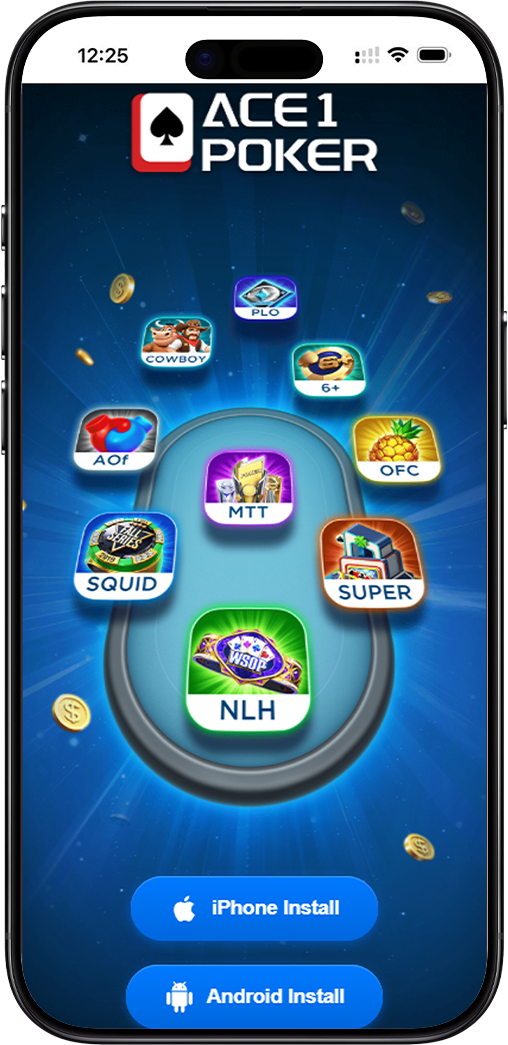
ACE1 POKER is a feature-rich online poker platform offering a wide variety of games including No-Limit Hold'em, MTT, PLO, OFC, AOF, SQUID, SUPER, COWBOY, and 6+ poker. Download the ACE1 POKER app on your preferred device and start playing in minutes.
How to Download ACE1 POKER on Android
Step 1: Visit the Official ACE1 POKER Download Page
Open your Android device's browser and navigate to the official ACE1 POKER download page. You will see the Android Install button clearly displayed on the page.
Step 2: Tap the Android Install Button
Tap the Android Install button to begin downloading the ACE1 POKER APK file directly to your device. The download will start automatically within seconds.
Step 3: Allow Installation from Unknown Sources
Since ACE1 POKER is not distributed via the Google Play Store, you may need to enable installation from unknown sources. Go to your device Settings, select Security or Privacy, and toggle on Allow installation from unknown sources.
Step 4: Install and Launch the App
Once the APK file is downloaded, tap on it to begin installation. Follow the on-screen prompts and within moments, the ACE1 POKER app will be installed on your Android device. Tap the icon to launch and log in or register your account.
How to Download ACE1 POKER on iPhone
Step 1: Open the Official ACE1 POKER Download Page on Safari
On your iPhone, open Safari and go to the official ACE1 POKER download page. It is recommended to use Safari for the smoothest installation experience on iOS devices.
Step 2: Tap the iPhone Install Button
Tap the iPhone Install button on the download page. You will be prompted to allow the installation of the ACE1 POKER app profile onto your device. Tap Allow to continue.
Step 3: Trust the App in Your iPhone Settings
After installation, go to Settings, then General, then VPN and Device Management. Find the ACE1 POKER profile and tap Trust to authorize the app to run on your iPhone.
Step 4: Launch ACE1 POKER on Your iPhone
Return to your home screen, locate the ACE1 POKER app icon, and tap to open it. Log in with your existing account or register a new one to start playing immediately.
How to Download ACE1 POKER on Windows
Step 1: Visit the ACE1 POKER Download Page on Your PC
Open any browser on your Windows PC and go to the official ACE1 POKER download page. The page will detect your operating system and present the appropriate download option.
Step 2: Click the Android Install Button to Download the APK
ACE1 POKER on Windows is run via an Android emulator. Click the Android Install button to download the ACE1 POKER APK file to your computer.
Step 3: Install an Android Emulator
To run the ACE1 POKER APK on Windows, install a trusted Android emulator such as BlueStacks or LDPlayer. Once the emulator is set up, open the downloaded ACE1 POKER APK file within the emulator to install the app.
Step 4: Launch ACE1 POKER and Start Playing
After installation within the emulator, launch the ACE1 POKER app, sign in to your account, and enjoy the full poker experience on your Windows desktop.
How to Download ACE1 POKER on macOS
Step 1: Open the ACE1 POKER Download Page on Your Mac
Launch Safari or any preferred browser on your Mac and navigate to the official ACE1 POKER download page.
Step 2: Click the iPhone Install Button
On macOS, ACE1 POKER can be run natively on Mac devices with Apple Silicon using the iPhone Install option. Click the iPhone Install button and follow the download instructions provided on the page.
Step 3: Install and Trust the App on macOS
Once downloaded, open the app file and follow the installation steps. If prompted by macOS security settings, go to System Settings, then Privacy and Security, and allow the ACE1 POKER app to run.
Step 4: Open ACE1 POKER on Your Mac
Launch the ACE1 POKER app from your Applications folder or Launchpad. Log in or register your account and enjoy the full poker experience on your Mac.
Games Available on the ACE1 POKER App
A Complete Online Poker Experience in One App
The ACE1 POKER app is packed with diverse poker formats to suit every type of player. Whether you prefer the classic No-Limit Hold'em, fast-paced MTT tournaments, Pot-Limit Omaha, Open Face Chinese Poker, All-in or Fold, or exclusive game modes like SQUID, SUPER, and COWBOY, ACE1 POKER has it all in a single download.
Why Download ACE1 POKER?
One App, Multiple Devices
ACE1 POKER is optimized for mobile and desktop play. Whether you are on an iPhone, Android smartphone, Windows PC, or Mac, the ACE1 POKER app delivers a smooth, consistent, and enjoyable poker experience across all platforms.
Secure, Fast, and Easy to Install
The ACE1 POKER app is lightweight, fast to install, and built with security in mind. Your account data and gameplay information are protected at all times, giving you peace of mind every time you log in and play.
Multi-Language Support
ACE1 POKER supports English, Traditional Chinese, Thai, Vietnamese, Indonesian, Korean, Burmese, Bengali, and Turkish, making it one of the most accessible poker apps for players across Southeast Asia and beyond.
Download ACE1 POKER Now and Join the Action
Install the ACE1 POKER app on your iPhone, Android, Windows, or Mac today. Registration is free, setup takes only minutes, and new players can use referral code 1040549 to unlock exclusive welcome rewards.